Editorial method
Who makes this, how, and why
YoriPrep Editorial focuses each guide on one operating decision a food-service team can use on its next shift.
- Reference material only
- This article is general operating reference material.
- Case scope
- This reference scope is limited to the operating question and illustrative case described in “From items sold to prep workload: why batch yield and standard minutes matter”.
- Calculation limits
- The review formula is “The core calculation is sold quantity × prep quantity per sold item ÷ batch output × standard minutes. Sum the estimates for linked menus to review period labor.”; it does not determine a store-specific result without current inputs and context.
- Date markers from linked sources
- 4 linked sources state no date. Undated sources are not treated as current; check each link for its present status.
- Professional decisions
- Tax, employment, food-safety, accounting, and legal decisions need current official guidance or advice from an appropriate qualified professional. This article has not received that professional review.
- Publisher
- YoriPrep Editorial at Uberion selects the topic and is responsible for the scope of sources and examples in each article.
- Method
- Public sources are linked directly, and unsourced figures, percentages, and situations are labelled as illustrative. AI may assist drafting or translation, but advertising is limited to source-checked, curated articles.
- Purpose
- We publish to help readers solve one cost, stock, prep, or team-operations problem, not to mass-produce pages for search traffic.
Prep workload is an estimate built from sales records and recipe standards. It is not a schedule or payroll ledger, and the operator still decides how work is assigned.
Operator case
“Was our best-selling item also the most labor-intensive?”
This fictional restaurant and its figures demonstrate the calculation. They do not show verified labor savings, shorter shifts, or reduced payroll expense.- Menu item
- Chicken salad
- Period
- Seven days
- Assignments
- Two assigned staff and three linked menus
Can I assume workload rises one-for-one with sales, and should I build next week’s schedule from this number?
Sales alone is not enough. You also need prep quantity per sold item, output per batch, and standard minutes per batch. The result estimates prep workload for the selected period; it is neither a staff schedule nor a payroll record.
Phase 1 · Confirm sales records
Begin with sold quantity for the selected menu and period. If sales data is missing, there is no sound basis for an estimate, so the report produces no workload estimate.
Missing sales must not be replaced with zero or an invented average.
Phase 2 · Verify menu-to-prep links
Check prep quantity per sold item, batch output, and standard minutes. Review every linked menu that draws on the same prep item.
Incorrect menu links or batch standards distort the period estimate.
Phase 3 · Review staff assignments
Compare period workload with assigned staff, then separately consider breaks, cleaning, training, skill, and actual batch decisions. The operator allocates the work.
Estimated prep minutes do not replace scheduling, timekeeping, or payroll.
Calculation
Translate sold quantity into period prep minutes
The core calculation is sold quantity × prep quantity per sold item ÷ batch output × standard minutes. Sum the estimates for linked menus to review period labor.Estimates how many prep units are associated with the selected period’s recorded sales.
Applies the number of prep units produced by one batch.
Converts the batch requirement into estimated prep minutes for that menu.
Reviews the total alongside shared prep items and assigned staff.
Convert seven days of sales into prep workload
- Sold quantity
- 120 items
- Recorded chicken salad sales over seven days
- Prep quantity per sale
- 1.5 units
- Menu-to-recipe standard
- Batch output
- 30 units
- Prep units produced by one batch
- Standard time
- 25 min per batch
- Operator-reviewed standard
120 × 1.5 ÷ 30 × 25 min = 150 minEstimated period prep workload: 150 minutesBefore assigning work, the operator reviews other linked menus, actual batch choices, breaks, and non-prep duties. The estimate does not prescribe a shift.
When sales data is missing, no workload estimate is produced. This calculation is not a schedule, time clock, payroll ledger, or guaranteed labor saving.
Review the period, linked menus, and assigned staff together
The development preview connects sales records with recipe and batch standards to estimate period workload. Operators review linked menus and assigned staff before making a real allocation.
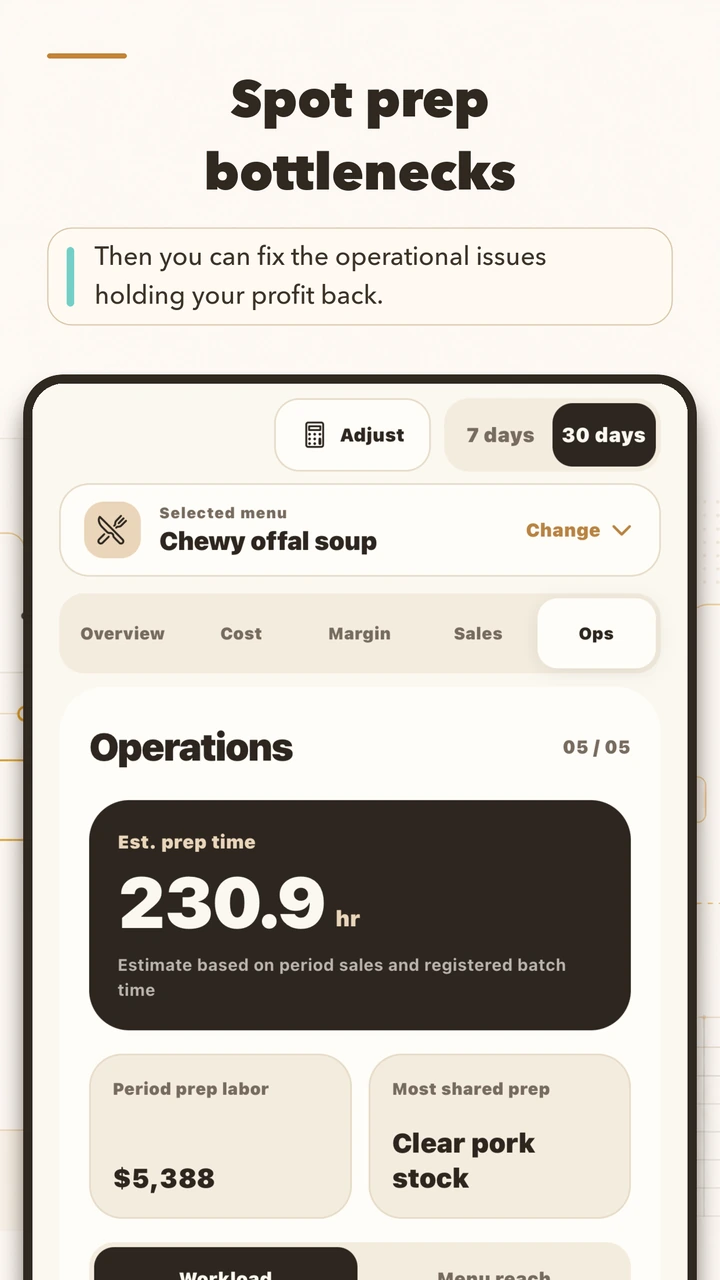
- Check the period and sales
Do not estimate workload for a period with missing sales data.
- Review batch standards
Verify prep quantity, batch output, standard minutes, and linked menus.
- Assign work deliberately
Consider assigned staff and real operating duties before the operator allocates work.
Illustrative period workload by linked menu
These fictional estimates are calculated from entered sales and standards. They are not employee timecards or payroll hours.
Example based on 120 recorded sales
Example linked to a shared prep item
Example linked menu in the same period
Example separate prep item
Development preview · fictional estimate
Product provenance
Separate product origin from outcome evidence
The official sources identify YoriPrep and its prep-operations context. They do not independently establish calculation accuracy or labor savings.YoriPrep
Uberion
Uberion’s product page establishes that YoriPrep is designed around food-preparation operations. Product provenance only; it is not independent validation of outcomes.
View sourceYoriPrep on the App Store
Apple App Store
The App Store and Google Play listings identify the public product record but do not prove that the workload preview is in the released build. Product provenance only; it is not independent validation of outcomes.
View sourceYoriPrep on Google Play
Google Play
The App Store and Google Play listings identify the public product record but do not prove that the workload preview is in the released build. Product provenance only; it is not independent validation of outcomes.
View sourceYoriPrep App Review information
Uberion
The App Review information page supplies product-review context, not independent validation of standard times or staffing outcomes. Product provenance only; it is not independent validation of outcomes.
View source